A homebrew Block Blast for the Nintendo 3DS. Board on the top screen, pieces and the aiming grid on the touch screen, stereoscopic 3D if you push the slider up.
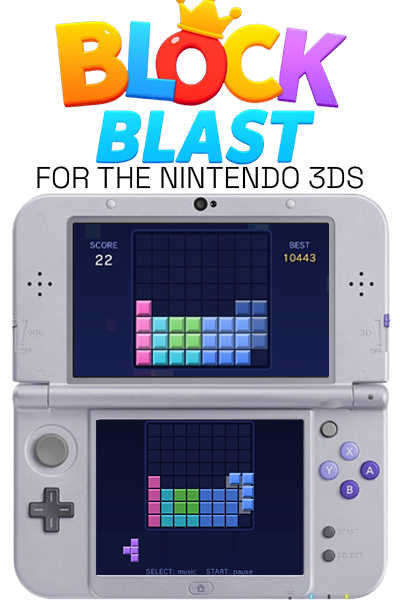
Everything you see and hear is generated in code, no image files, no audio files, no romfs. The whole game is one ~600 KB file.
Drag blocks out of the tray onto the 8×8 board. Fill a full row or column and it blasts. Chain clears back to back for combos, clear the whole board for a big bonus, and keep going until none of your three pieces fit anywhere.
- Pieces arrive pre-rotated, three at a time, exactly like the original
- Forgiving snapping so a drop that's a pixel off still lands where you meant
- Combo multiplier that survives two non-clearing moves before it drops
- The board warns you when it's filling up
- Best score and your game in progress save automatically
- Play entirely with the stylus, or entirely with the buttons
- An original 3DS, 3DS XL, 2DS, New 3DS or New 2DS
- Homebrew access. For the
.ciayou need custom firmware (Luma3DS) and FBI; the.3dsxruns from the Homebrew Launcher without CFW - For sound: your console's DSP firmware dump. If you've run DSP1 at some point you already have it, most CFW setups do. Without it the game plays silently and tells you so on the title screen
Grab blockblast.cia or blockblast.3dsx from the
Releases page. Both versions share the same save file, so you
can switch between them freely.
As a HOME menu title (blockblast.cia)
- Copy
blockblast.ciaanywhere on your SD card - Open FBI, browse to the file, install it
- Launch it from the HOME menu. You can delete the
.ciaafterwards
From the Homebrew Launcher (blockblast.3dsx)
- Copy
blockblast.3dsxinto the/3ds/folder on your SD card - Launch it from the Homebrew Launcher
- The top screen is the board. The bottom screen has a mirror of it to aim on, plus your three pieces along the bottom
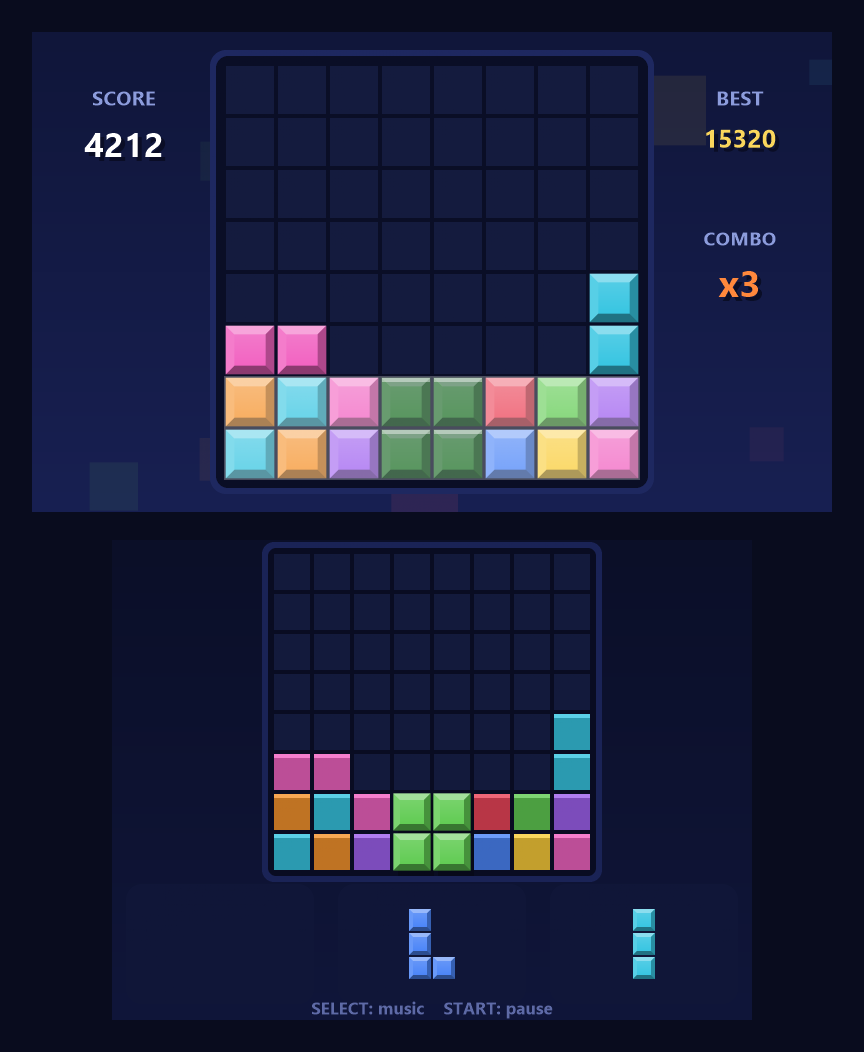
- Drag a piece with the stylus. It lifts up under your hand and snaps to the grid, and the rows or columns you're about to complete glow white
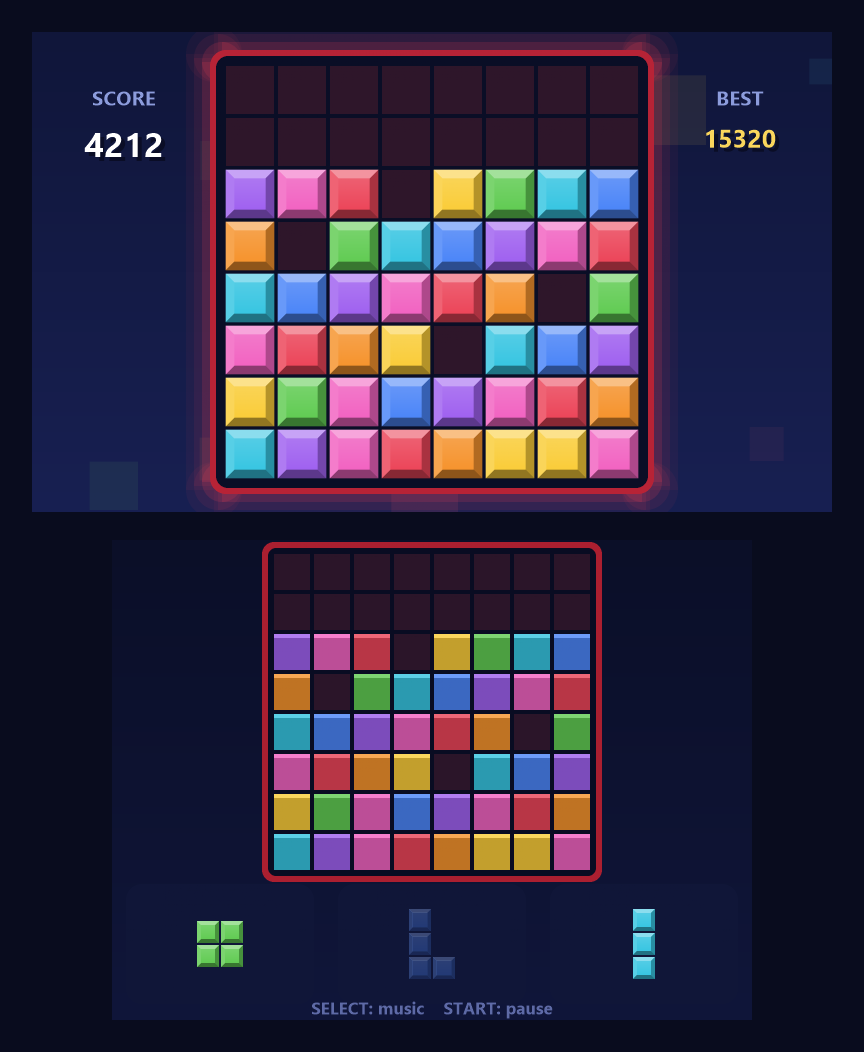
- Release to drop it. Pieces that fit nowhere are greyed out in the tray
- When the board gets crowded the frame heats up red and a heartbeat fades in under the music. That's your warning
- Game over is when none of your remaining pieces fit anywhere on the board
| Input | Action |
|---|---|
| Stylus | Drag a piece from the tray onto the aiming grid |
| Y / R | Pick the next tray piece (button play) |
| L | Pick the previous tray piece |
| D-Pad | Move the selected piece around the board |
| A | Drop it |
| B | Put it back |
| START | Pause menu — resume, restart, music, save and quit |
| SELECT | Music on/off |
| 3D slider | Depth, from flat to full |
| Event | Points |
|---|---|
| Each cell placed | 1 |
| One line | 100 |
| Two lines at once | 300 |
| Three lines | 600 |
| Four lines | 1000 |
| Clearing the whole board | +300 |
Line clears are then multiplied by your combo, which grows 25% for every consecutive clearing move. You get two non-clearing moves of grace before the combo resets, so one awkward placement doesn't wipe out a run.
The top screen is drawn once per eye with each layer at its own depth. The settled blocks sit exactly at the screen glass on purpose — that's where your eyes rest, so it stays sharp and never ghosts. Everything else spreads out from there:
| Layer | Where it sits |
|---|---|
| Background and drifting blocks | Well behind the glass |
| Board frame and empty cells | A shallow recessed tray |
| Settled blocks | At the glass |
| The piece you're holding | Hovering above the board |
| Particles, score popups, praise | Out toward you |
At full slider the furthest layer is about 2.4% of the screen width apart between the eyes, which is dimensional without straining the original 3DS's narrower viewing angle. Slide it down and it scales smoothly to flat; at zero the second eye isn't drawn at all, so it costs nothing when you don't want it.
Gallery — click to expand
Lining up a two row clear. The rows about to blast glow white on the top screen, and the piece rides the stylus down on the touch screen.
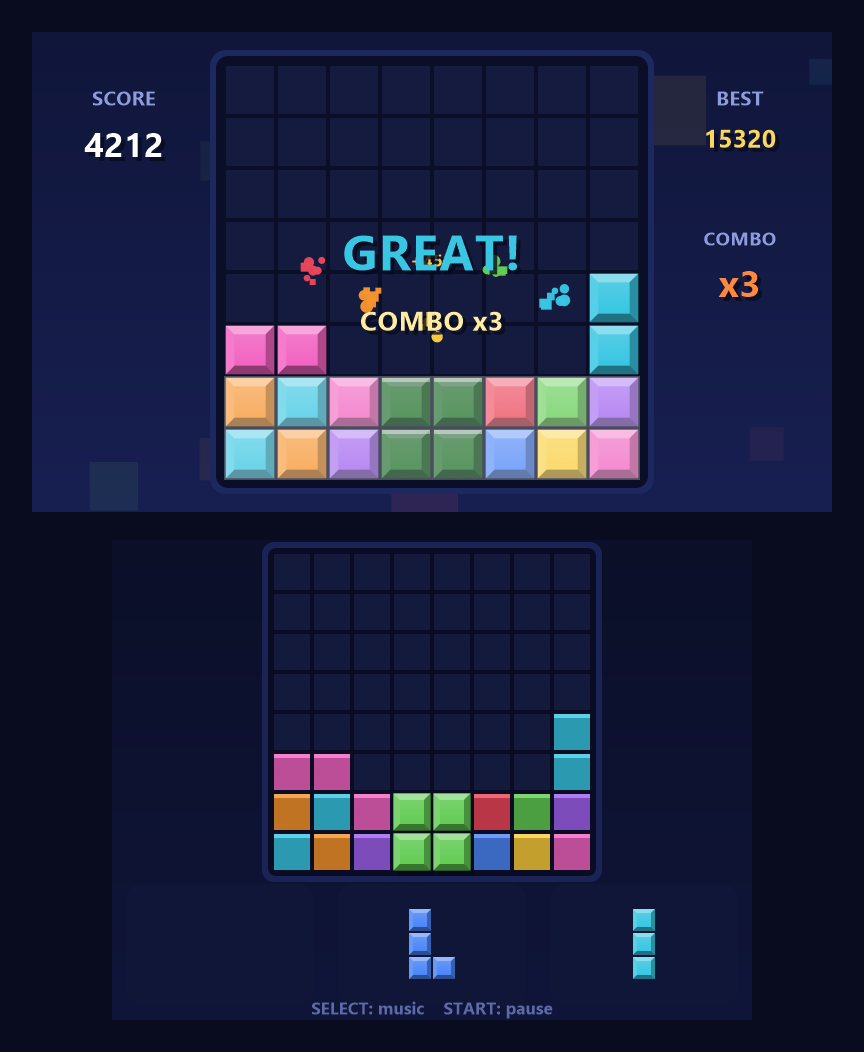
The same moment once it pays off, with the praise banner and the score popping.
The board filling up. The frame heats toward red, a heartbeat fades in under the music, and the piece that fits nowhere is greyed out in the tray.
Title screen and game over.
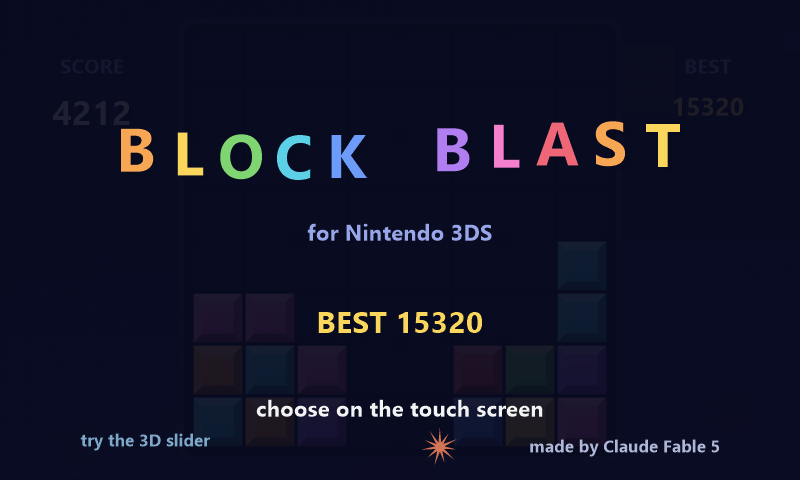
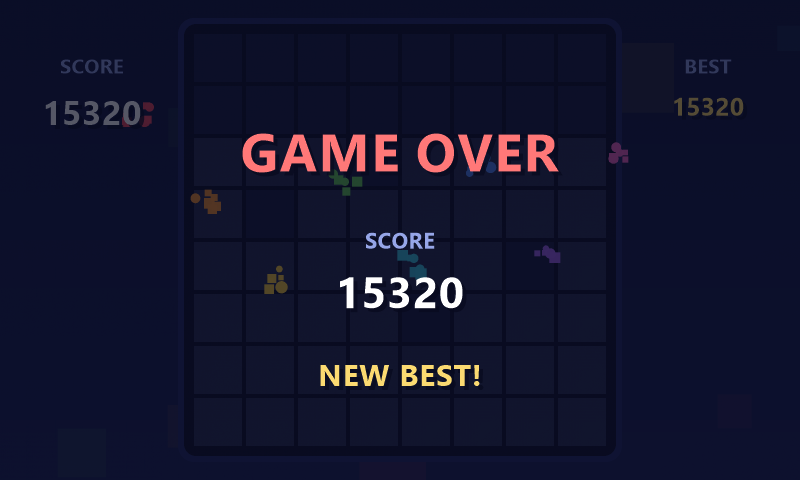
Every state is in screenshots/ as _top, _bot and _both.
These are rendered by the game's own drawing code on a PC rather than captured
off a console, so the text uses a stand in font; everything else is exactly what
the console draws.
You need devkitPro with the
3ds-dev package group.
make
That gives you blockblast.3dsx. For the installable CIA you also need
makerom and bannertool in tools/ — they aren't in the devkitPro repos, so
grab them from Project_CTR and
3ds-bannertool:
make cia
meta/blockblast.rsf is the ROM spec. It grants DirectSdmc and
DirectSdmcWrite for the save file and dsp::DSP for audio. Don't swap it for
makerom's -desc app:N shortcut — that template has neither, so the save would
fail and the sound would silently die.
The game rules live in source/game.c and don't touch any 3DS headers, so they
compile and run on a PC:
gcc -O2 -o logic_test source/game.c test/logic_test.c -Isource -lm && ./logic_test
That checks the piece catalogue, scoring, combo decay, snap forgiveness, save/load round-trips, corrupted saves falling back to the backup, and old save files still loading. Then it fuzzes 2000 random games looking for broken invariants, and plays 120 games with a greedy bot to confirm the piece generator stays as generous as the real game (about 290 moves per game).
Screen layout is checked with a stub rasterizer that runs the real rendering code on a PC. It draws supersampled at 6× and filters down, so the output is a clean 2× native:
gcc -O2 -o vis_test test/vis/vis_main.c test/vis/stub_impl.c source/render.c source/game.c -Itest/vis -Isource -lm
./vis_test out_dir -text
pwsh test/vis/composite_shots.ps1 -InDir out_dir -OutDir screenshots
-text makes the harness log every string and state overlay in draw order
instead of stamping its blocky debug font, and composite_shots.ps1 redraws
them with a real font.
./vis_test out_dir -3d
pwsh test/vis/check_stereo.ps1 -InDir out_dir -Shot play_juice
-3d puts the virtual depth slider at full and captures both eyes. The checker
reports, per row band, the horizontal offset that best aligns them, and writes a
red/cyan anaglyph. Layers behind the glass have to shift the right eye to
larger x and pop-out layers to smaller x. If a sign is backwards the
depth is inverted, which looks perfectly fine in a screenshot and feels awful in
your hands. Settled blocks should measure about 0.
Depths are the DEPTH_* constants at the top of source/render.c, and
MAX_PARALLAX scales all of them at once.
source/
  game.c/h     rules, scoring, piece generator, saves (no 3DS deps, PC-testable)
  render.c/h   all citro2d drawing, effects, stereoscopic layers
  audio.c/h    every sound and the music loop, synthesized at boot
  main.c       input, drag handling, save scheduling, APT hooks
meta/
  blockblast.rsf   ROM spec for the CIA
  banner.png/wav   HOME menu banner
test/
  logic_test.c     rules fuzzing and unit tests
  vis/             PC rendering harness + screenshot and stereo scripts
- The save file is never overwritten in place. A new copy is written alongside
it and the old one is kept as
save.dat.bak, each with a checksum, so losing power mid-write costs a couple of seconds at most and never the file - Closing the lid or jumping to HOME saves immediately, stops the music, drops whatever piece you were dragging and puts you on the pause screen
- Saves live at
sd:/3ds/BlockBlast/save.datand survive reinstalling
The console needs a DSP firmware dump. Run the DSP1 homebrew once and restart the game. The title screen says so when it can't find one.
Make sure you're on CFW and the file copied fully. The CIA is fake-signed like
all homebrew, which Luma handles, but it does need CFW — on stock firmware use
the .3dsx instead.
Pull the slider partway down; the effect scales with it. If it's still off,
MAX_PARALLAX in source/render.c is one number and you can rebuild.
It shouldn't have — old save files are still read. If it happens, check for
save.dat.bak next to it, which holds the previous good copy.
v1.3 — Stereoscopic 3D on the top screen, per-layer depth with the board at the screen plane.
v1.2 — Forgiving snapping, danger state as the board fills, crash-safe saves with a backup copy and checksums, lid-close and HOME handling, real frame timing.
v1.1 — Packaged as an installable CIA with a HOME menu banner and jingle. Button hint order fixed to match the physical console, title screen made opaque.
v1.0 — First playable build: board, tray, drag and drop, combos, procedural graphics and audio, autosave.
Built with devkitARM, libctru and citro2d from devkitPro. Packaged with makerom and ctrtool and bannertool. The full RSF sample from makerom's author saved a lot of guessing.
Made entirely by Claude Fable 5 since I dont know C
This is an unofficial fan project, not affiliated with or endorsed by Hungry Studio or anyone involved in the original Block Blast. It shares no code or assets with it; every graphic and sound here is generated at runtime by the code in this repo.
zlib, the same license as libctru and citro2d underneath it. See LICENSE. Short version: do what you like with this, including in commercial work. Just don't claim you wrote the original, mark your changes if you ship a modified version, and leave the notice in the source.